

In this tutorial, I have tried to simplify some of that information and tried to add my experiences.
I had no idea how to properly test a payment gateway during my first project. I worked on effectively integrating PayPal, Braintree, and Authorize.net with our eCommerce apps while learning things little by little.
Common terminology, the end-to-end transaction flow, and practical advice and best practices will all be covered.
Payment Gateway Terminology
Let us discuss some terms that we will be using in this article:
1) Merchant – A merchant is a person or company that sells products or services. Flipkart, Amazon, eBay are some examples of Merchants.
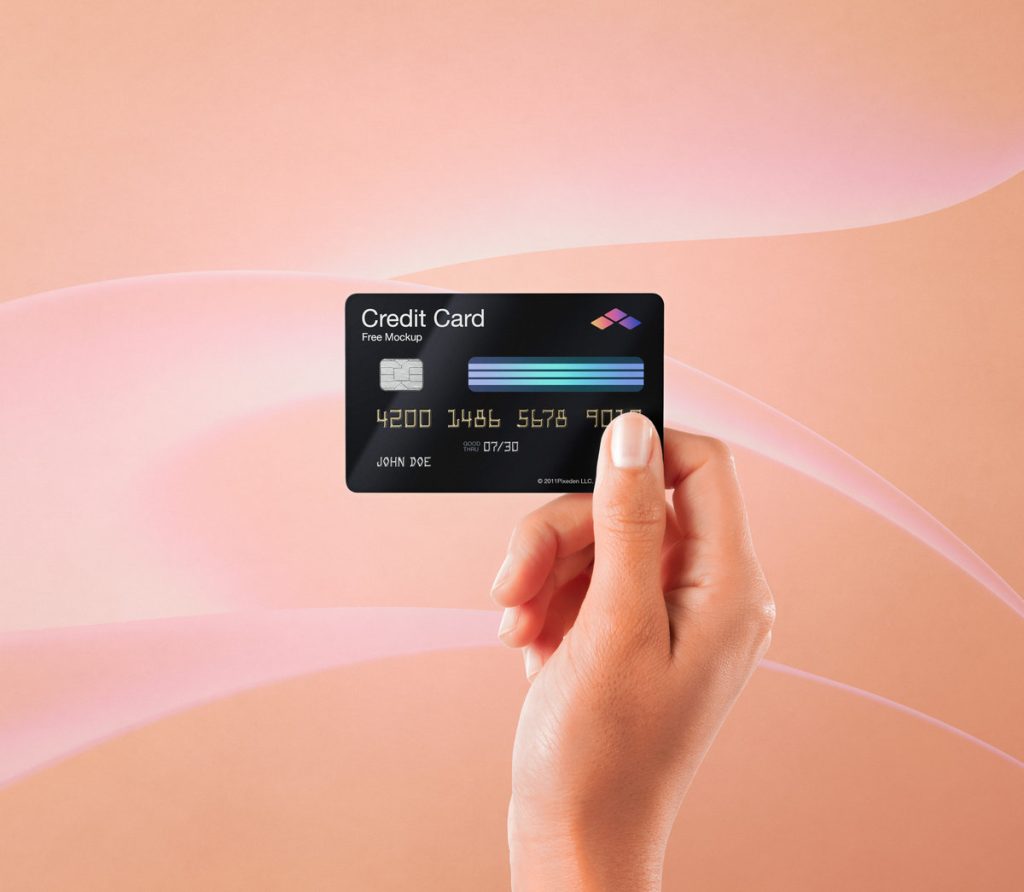
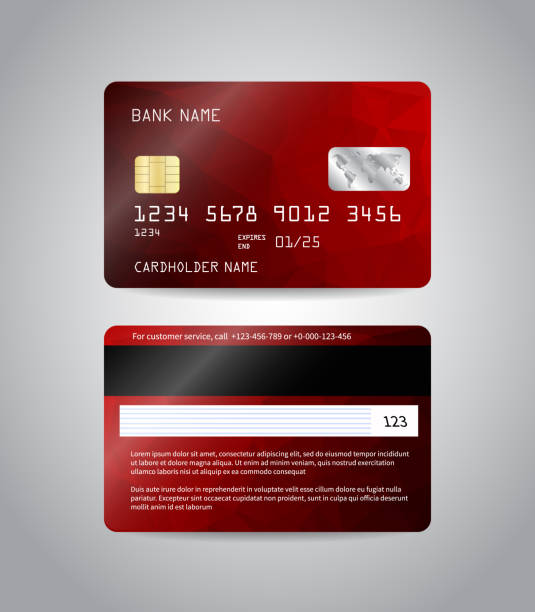
2) Credit Card – A plastic card that can be used to buy products or services through a credit account. It has a 16 digit card number, expiration date, hologram, magnetic strip, signature panel and a card verification value (CVV) number.
Front of Credit Card:
Back of credit card:
3) Acquiring bank – Acquiring Bank is a financial institution that maintains the merchant’s bank account and enables a merchant to accept and process debit and/or credit card transactions on their store.
4) Issuing Bank – Issuing Bank is the financial institution that issues the customer’s debit or credit card. Whenever a customer uses a credit or debit card to make a purchase, the issuing bank either approves or declines the transaction based on the cardholder’s account standing and passes that information to the Acquiring Bank.
For example, the transaction will be rejected if the card’s expiry date is incorrect, or if the purchase amount is more than the card credit limit, etc.
5) Transaction – The end to end process through which the merchant receives funds for a transaction with a customer.
6) Authorization –Every time a customer makes a purchase, authorization is asked. The customer’s issuing bank provides this authorization, which verifies the cardholder’s identity, ability to pay, availability of funds, etc. After this is finished, the money is placed on hold and taken out of the customer’s credit limit; it hasn’t been moved to the merchant account yet.
7) Capture – In this action, the merchant collects the relevant customer payment information and sends a settlement/capture request to the processor. The processor uses this information to initiate funds transfers between the customer’s card account and the merchant’s bank account.
Difference between payment gateways and payment processors
The question of whether payment gateways and payment processors are separate modules with different functionality is the subject of a wealth of internet literature.
Throughout my projects, I have observed that payment processors and payment gateways are used interchangeably with little to no difference. Merchants usually refer to payment gateways as payment processors because they manage all payments.
“Payment processors” consider themselves payment gateways since they act as a means of processing and completing a secure payment transaction..
Transaction Flow
The following flow diagram summarizes the complete flow from the moment a customer places an order to the order being successful or declined.

If a customer wishes to cancel the order, the following is the flow:

Whether or not a transaction is recorded determines the distinction between a void and a return.
It is possible to nullify unsettled payments, in which case the money that was held is returned to the cardholder’s account. A refund is started if a transaction has already been completed or recorded, in which case money is deducted from the merchant’s account and returned to the cardholder’s account.
Why do we need to test Payment Gateways?
If we were to shop in an actual brick and mortar store, we would pay cash or swipe our card (credit or debit) through the machine during checkout to complete the transaction.
If using credit or debit cards, the POS (Point of Sale testing) machine will indicate if the payment processing will be approved or declined.
Similar systems that promptly accept or disapprove transactions must be in place when conducting business online.
The e-commerce website’s online payment processing should be smooth from the standpoint of the consumer. After clicking the “Pay Now” button, the customer should get messages indicating whether their payment was accepted or denied within a few seconds.
From the standpoint of an e-commerce store, merchants must make sure that the entire payment cycle—which includes receiving transactions from online retailers and recording, authorizing, refunding, and voiding—is operating smoothly. It could be problematic for the merchant if any of these subcomponents don’t function as intended.
The testing step enables merchants to adjust to the selected payment processor flow and determine whether the selected alternative is the most appropriate for their application and business..
Types of Testing required
Depending on your choice of Payment processor and the product /application requirement, you may be required to perform the following kinds of testing
- Functional Testing – Functional testing is required for newer, less established payment gateways to ensure that the application behaves as it should i.e. it handles orders, calculations, taxes, etc. exactly how it is supposed to be. For more established payment processors, this kind of testing may not be required.
- Integration Testing – Integration testing is critical while integrating with a payment gateway. As a tester, you will need to verify that the integration of your website/online store/application is working fine with the chosen payment gateways. As a tester, you need to verify the entire transaction flow:
- Place order
- Check if funds are received in merchant account
- Verify if the transaction can be refunded or voided successfully
- Performance Testing – It is essential to test the website/online store/application for performance. The payment processor should not fail if multiple users are trying to complete transactions at the same time.
- Security Testing – During a transaction, a customer will be providing sensitive information like their credit card number, CVV number etc. It is very important to ensure that all sensitive information is transmitted after encryption and that the channel is secure.
Helpful Tips
Based on my personal experience, the following are some helpful tips for testers:
#1) Research if a free sandbox environment (for trial and exploratory purposes) is available for the Payment gateway that needs to be tested or implemented. Having a sandbox available is definitely helpful and gives the team that extra flexibility to customize the tool and test as in depth as required.
#2) Make sure the transaction is tested end to end. In our projects, we tested and reported numerous bugs related to data capture and data flow from the application to the Payment gateway. Some of the specific bugs were:
- Customer (buyer) name information was not getting captured correctly
- The customer’s Credit card expiry date was getting captured incorrectly due to an incorrect function which was causing the transactions to be declined by the issuing bank on account of incorrect credit card information.
- Duplicate transaction showing in Payment Processor
#3) Research the limitations of payment gateway sandboxes.
For example, Authorize.net sandbox supports one currency per sandbox, so if you need to test multiple currencies, you will need to configure different sandboxes. Also, with that, you will never be able to ‘truly’ test how the system will behave when the Live Authorize.net account will process Multi-currency transactions.
#4) If payment fails during a transaction for any reason, a suitable message should be shown to the customer. Any error message that is too technical, like an object not set to instance’ or ‘404 error’ can confuse the customer and impact the user experience.
It is also a good idea to display a generic message like “There seems to be some issue in processing the transaction, please contact us at 1-800-800-8000’.
#5) For the purpose of post-production release verification purposes, the client (application business owner) will need to create a live payment processor account, set up their Merchant ID, etc.
Depending on the payment processor chosen, it may take anywhere from 2 days to few weeks to set up the account. This should be communicated by the project manager to the client in advance with sufficient time to set up the live account before the application and payment processor integration go live.
Payment Gateway Testing Checklist and Test Cases
Like any other application, testing payment processors involves proper test planning.
The following checklist can be helpful for testers and could be used as a reference:
1) Set up a payment processor sandbox.
2) Gather test credit card numbers that will be used to test different credit cards. Such information for Braintree payment processors can be found in Braintree payments.
3) Verify the behavior of the application when a transaction is successful.
4) After a successful transaction, verify if the payment gateway returns to your application to show some kind of successful transaction/confirmation message.
5) Verify that the customer gets some kind of transaction confirmation notification like Order confirmation email, etc. if the transaction is successful.
6) Check what happens if a payment fails or the payment processor stops responding – is there any error message?
7) Verify the application behavior with the browser popup blocker on and off. This may help if any confirmation messages are being displayed in the popup.
8) Verify different fraud prevention/security settings.
For example, if the customer’s billing information does not match the address provided to the issuing bank – any mismatch will result in the transaction being declined.
9) Verify the transaction entries in the database if the tester has access to the Application database.
10) Check what happens when a customer session expires.
11) Check the console during the entire transaction and report any console errors that are observed.
12) Verify that that transaction is done on a secure channel.
For example, the checkout pages may be HTTPS versus the rest of the website that are HTTP pages.
13) Verify that the payment processor currency is setup correctly.
For example, if the application/website is a Canadian company/retailer, the payment processor should be set up to accept CAD currency.
14) If the applications have multiple payment options like Credit card and PayPal together, both payment options need to be individually tested from end to end.
15) Verify that refund or void amount (from the payment processor admin portal) is the same as the transaction amount. In none of the cases, the refund/void amount should exceed the transaction amount.
Setting up Sandbox: Braintree Payments Example
1) Navigate to the Braintree website.
2) Click on the “Try the Sandbox” button.
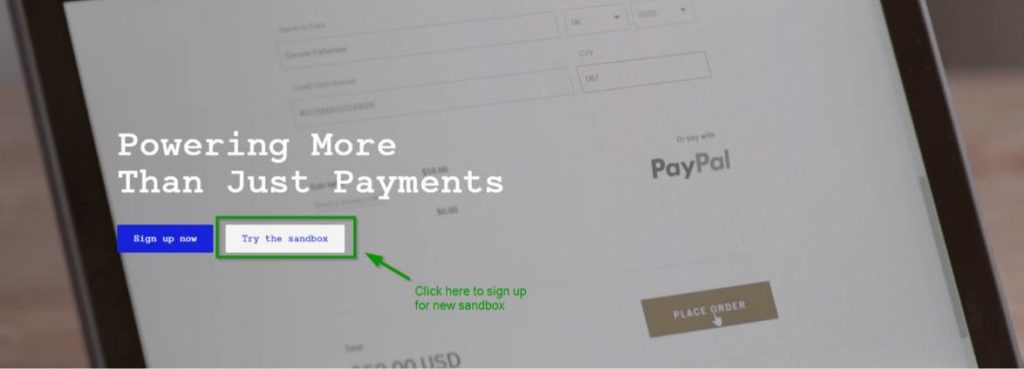
(Note: Click on any image for an enlarged view)
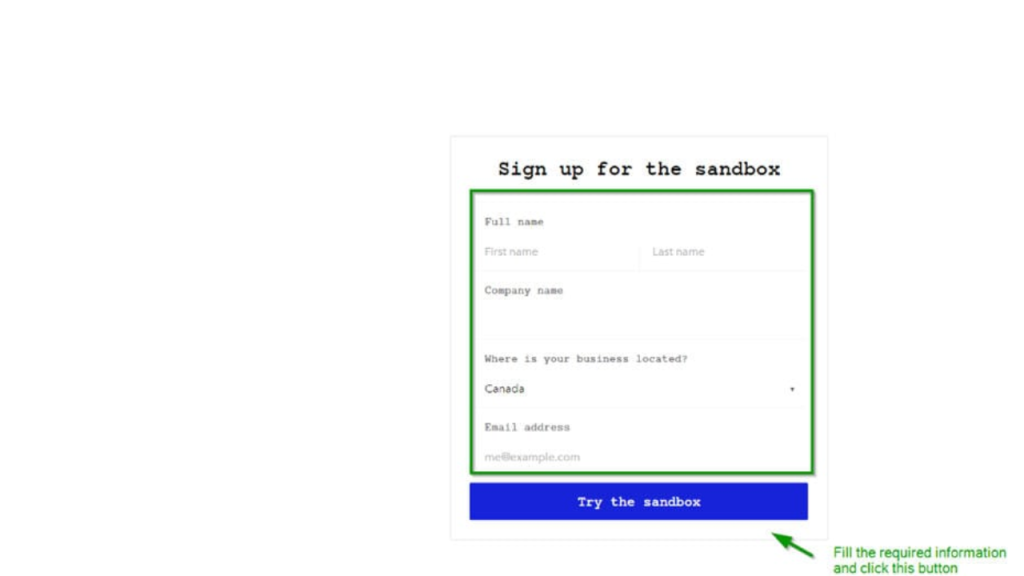
3) You will be redirected to the Braintree sandbox website. Fill out all the required information and sign up for the sandbox
4) You will receive an email notification at the email address provided during sign up regarding confirmation of account creation
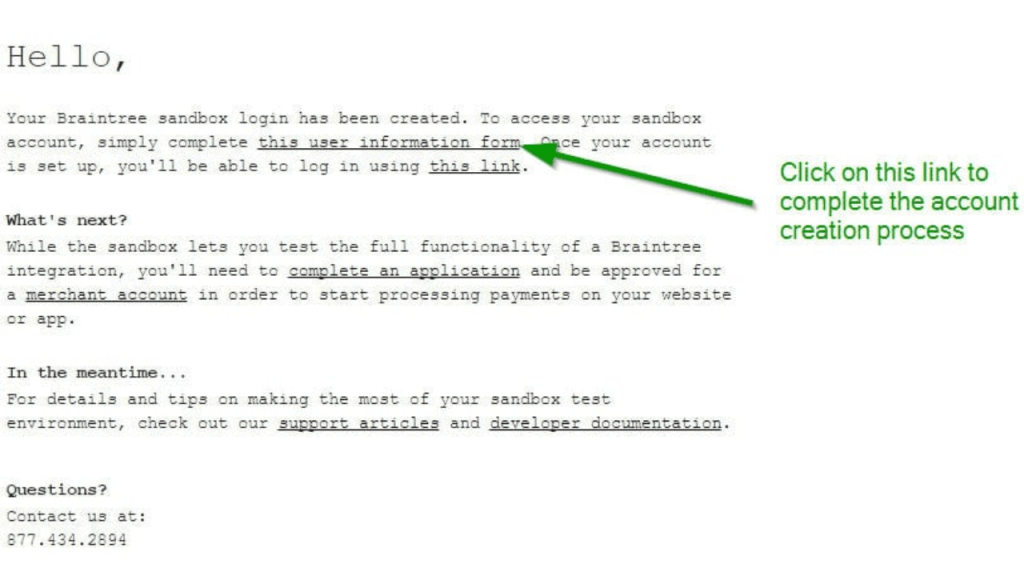
5) You need to fill in the user information form to process further where you would be required to choose a password. Click on the “Agree and Create Your Account” button.

6) You will be logged in and redirected to the Braintree Admin portal

7) Note the Sandbox keys and use them in your application to integrate with this Braintree sandbox.

8) After integration is done, the sandbox is ready for use. If you need to update the sandbox settings, you can do so using the settings menu.

Commonly used settings menu option:

Conclusion
An essential part of any e-commerce program that is intended to take payments from clients is the payment processor. As a result, extensive testing of this component is crucial. Any missing situations may have an adverse effect on the seller’s sales and transactions as well as the buyer’s or customer’s user experience.
Testers must create a testing plan for both the test environment and live/post-production release testing, as well as build up a test environment (sandboxes, collect dummy credit card information, response codes, etc.).
YOU MAY BE INTERESTED IN
The Art of Software Testing: Beyond the Basics
Automation testing course in Pune
Automation testing in selenium
Mastering Software Testing: A Comprehensive Syllabus
Frequently Asked Questions
What is payment gateway testing and why is it necessary?
Payment gateway testing is the process of verifying that a payment gateway functions correctly and securely. This type of testing is necessary to ensure that transactions are processed smoothly and that sensitive customer information is protected. By conducting thorough testing, you can identify and fix any issues before they affect your customers.
What are the different types of payment gateway testing?
There are several types of payment gateway testing, including functional testing, security testing, and performance testing. Functional testing verifies that the payment gateway works as expected, while security testing checks for vulnerabilities and ensures that sensitive data is protected. Performance testing evaluates the payment gateway’s ability to handle a high volume of transactions.
How do I test a payment gateway with a sandbox environment?
To test a payment gateway with a sandbox environment, you will typically need to create a test account and obtain test credentials from the payment gateway provider. You can then use these credentials to simulate transactions and test the payment gateway’s functionality in a controlled environment. This allows you to test and debug your integration without affecting live transactions.
What are some common payment gateway testing tools and techniques?
Some common payment gateway testing tools and techniques include API testing tools, such as Postman, and load testing tools, such as JMeter. You can also use techniques like test-driven development (TDD) and behavior-driven development (BDD) to ensure that your payment gateway integration is thoroughly tested. Additionally, many payment gateway providers offer their own testing tools and resources.
How often should I test my payment gateway integration?
It’s a good idea to test your payment gateway integration regularly, especially after making any changes to your code or configuration. You should also test your integration periodically to ensure that it continues to function correctly and securely over time. This can help you catch any issues before they affect your customers and ensure that your payment gateway remains reliable and efficient.


