Mobile App Testing: A Complete Guide for 2026
Mobile apps are part of daily life, from shopping and banking to entertainment and learning. With millions of apps competing for attention, even a small bug can lead to bad reviews, uninstalls and lost revenue. Mobile app testing is the process that prevents this. This guide explains what it is, the main types, manual vs automated approaches, popular tools, best practices, common challenges and career scope.
What Is Mobile App Testing?
Mobile app testing is the process of evaluating a mobile application on different devices, operating systems and network conditions to find bugs, performance issues and usability problems before release. It helps ensure the app works as intended and gives users a smooth experience.
Why Mobile App Testing Is Important
- Better user experience: Apps that run smoothly earn higher ratings and stronger retention.
- Wider device coverage: The app must work across many screen sizes, hardware types and OS versions.
- Early bug detection: Fixing issues before launch costs less than fixing them after release.
- Security and trust: Testing helps protect user data from breaches and malware.
- Brand reputation: A reliable app builds credibility in a crowded market.
Types of Mobile App Testing
1. Functional testing
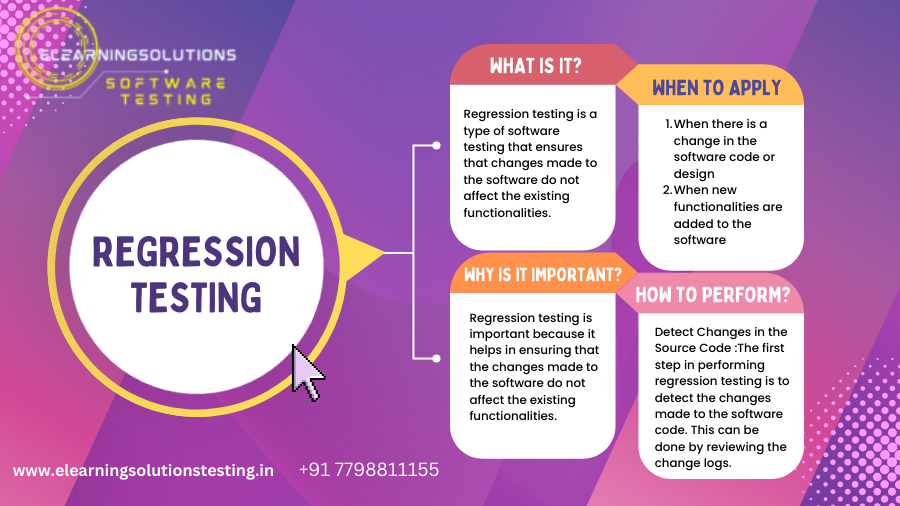
Checks that every feature works as expected, from login and navigation to payments and data processing. It includes unit, integration, system and regression testing.
2. Compatibility testing
Confirms the app works across different devices, operating systems (Android and iOS), versions and screen sizes. Teams use emulators, simulators and real devices.
3. Usability testing
Evaluates whether the interface is intuitive, easy to navigate and pleasant to use. It may involve user surveys, focus groups and usability studies.
4. Performance testing
Measures speed, responsiveness, stability, battery consumption and behaviour under heavy load or weak networks.
5. Security testing
Looks for weaknesses that could lead to hacking or data leaks. It includes vulnerability assessments, penetration testing and code review.
6. Localization testing
Verifies that the app supports multiple languages, regional settings and cultural differences, including date, currency and text formats.
Manual vs Automated Mobile Testing
| Factor | Manual testing | Automated testing |
|---|---|---|
| Best for | Usability, exploratory and one-time tests | Regression, repetitive and large test suites |
| Speed | Slower | Faster once scripts are ready |
| Consistency | Can vary between testers | Highly consistent |
| Upfront cost | Lower | Higher (tools and scripting) |
| Long-term cost | Grows with each test cycle | Lower for repeated runs |
| Human judgement | Strong | Limited |
Most teams combine both: automation for repeated checks and manual testing for user experience and edge cases.
Top Mobile App Testing Tools
| Tool | Best for |
|---|---|
| Appium | Open-source, cross-platform automation for native, hybrid and mobile web apps |
| Espresso | Fast UI testing for Android apps |
| XCUITest | Native UI testing for iOS apps |
| TestComplete | Commercial tool for functional and regression testing of desktop, web and mobile apps |
| Kobiton | Cloud-based real-device testing |
| Selenium | Web test automation; it can support mobile web testing, often together with Appium |
Choose tools based on your platform, budget, team skills and the kind of testing you need.
Setting Up a Mobile Test Environment
- Define your target devices and OS versions using your audience data and market share.
- Combine real devices with emulators and simulators. Emulators are great for early, low-cost checks, while real devices show true behaviour.
- Consider cloud device labs if you need wide coverage without buying many devices.
- Configure your tools, including automation frameworks, bug trackers and CI/CD pipelines.
- Test under different network conditions such as 3G, 4G, 5G, Wi-Fi and offline mode.
Mobile App Testing Best Practices
- Test early and often. Start during development to catch problems sooner and reduce rework.
- Use real devices. They show true performance, battery use and sensor behaviour.
- Write clear test cases. Structure them well, prioritise by risk and update them regularly.
- Automate repetitive tests. Regression suites are ideal candidates.
- Test on both Android and iOS. Behaviour and design rules differ between platforms.
- Include security checks. Review data storage, authentication and encryption.
- Track and retest bugs. Verify fixes and run regression tests after each change.
Common Challenges in Mobile App Testing
- Platform and device fragmentation: Many devices, screen sizes and OS versions make full coverage difficult. Prioritise the devices your users actually use.
- Performance and battery use: Test memory, CPU, battery drain and load times under realistic conditions.
- Network variability: Simulate slow, unstable and offline connections.
- Security risks: Data breaches, malware and privacy violations require regular testing and updates.
- Frequent OS and app updates: Keep your test suite current and run regression tests often.
Mobile App Security Basics
Mobile apps face threats such as data leaks, insecure storage and weak authentication. Good practices include:
- Encrypting sensitive data in storage and in transit
- Using strong authentication, such as multi-factor authentication where suitable
- Storing data securely on the device
- Applying security patches and running regular security audits
The OWASP Mobile Application Security project is a useful reference for testers.
The Future of Mobile App Testing
- AI and machine learning: These tools can help generate tests, detect visual bugs, prioritise test runs and reduce maintenance work. Human review is still important.
- Agile and DevOps: Continuous testing within CI/CD pipelines gives faster feedback and more reliable releases.
- Cloud testing: Cloud device farms make broad device coverage more accessible.
Skills Needed for Mobile App Testing
Technical skills
- Knowledge of testing frameworks such as Appium, Espresso and XCUITest
- Understanding of Android and iOS behaviour, devices and versions
- Basic scripting or programming for automation
- Familiarity with bug-tracking tools and test management
Soft skills
- Problem-solving: Finding root causes and suggesting practical fixes
- Attention to detail: Spotting small issues others might miss
- Communication: Writing clear bug reports and working well with developers
Mobile App Testing Career Scope
Mobile app testing offers a clear growth path. Testers often start as junior QA engineers, move to automation or senior roles, and may progress to test lead, QA manager or quality leadership positions. As businesses keep investing in mobile apps, skilled testers remain in demand. Salaries depend on experience, skills, location and employer.
Frequently Asked Questions (FAQs)
1. What is mobile app testing? It is the process of checking a mobile app on different devices, operating systems and networks to find bugs and improve quality before release.
2. What is the difference between mobile app testing and software testing? Software testing covers all types of software, including desktop, web and mobile applications. Mobile app testing focuses on mobile-specific factors such as device variety, touch interaction, battery use and network changes.
3. What are the main types of mobile app testing? The main types are functional, compatibility, usability, performance, security and localization testing.
4. Which tools are most popular for mobile app testing? Appium, Espresso, XCUITest, TestComplete and Kobiton are widely used, depending on platform and requirements.
5. Should I use emulators or real devices? Use both. Emulators and simulators are useful for early and low-cost testing, while real devices give the most accurate results.
6. Is manual or automated testing better? Neither is always better. Automation suits repetitive regression tests, while manual testing is better for usability and exploratory testing.
7. How do I get started with mobile app testing? Learn testing basics, understand Android and iOS, practise writing test cases, and then learn an automation tool such as Appium. A structured course can speed up your progress.
8. How can I secure a mobile app? Use encryption, strong authentication and secure storage, keep the app updated, and run regular security tests and audits.
Conclusion
Mobile app testing is essential for building apps that are reliable, secure and enjoyable to use. By understanding the types of testing, choosing the right tools, following best practices and preparing for challenges, you can deliver better apps and build a strong career in quality assurance.
Ready to start? Explore the software testing courses at eLearning Solutions and build job-ready mobile testing skills.
Call to action: Book a free demo class today and talk to our counsellors about the right testing course for you.