
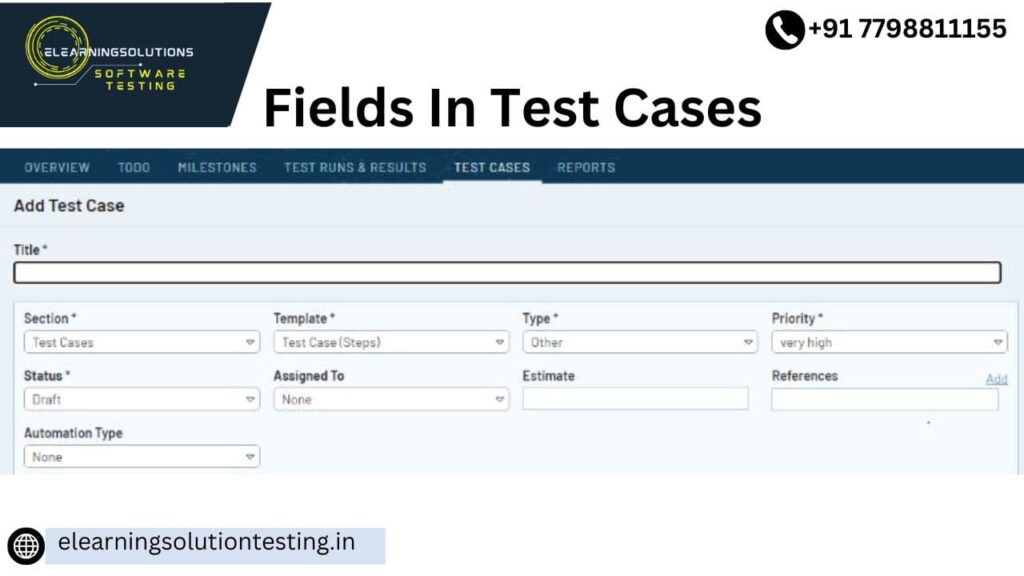
Let’s pause and look at the fields that make up a test case.
Test case Id and Test case description are the generic ones.
The other fields can be explained as follows:
- Precondition: State of the AUT (the state in which the AUT needs to be for us to get started).
- Input: Data entry steps. For these steps, it is important to note what kind of input info is required – Test data.
- Validation point/trigger/action: Why is the validation taking place? (Button, toggle, or link access clicks). In order to avoid data entry with nothing to look for, make sure a test case has at least one validation point. Additionally, avoid putting too many validation points into a single test case to guarantee that we have adequate modularity. The ideal number is one per test scenario.)
- Output: Expected result.
- Postcondition: In order to make the test case more incisive and instructive, this extra information is included for the tester’s benefit. This comprises a description of what occurs or what the AUT should do after completing each test case step.
See Also => Sample Test Case Template
Live Project Sample Test Cases (Download)
Let’s get started and develop a few test cases for our live project now that we have sufficient background knowledge to begin the process.
We have developed a few sample test cases for the OrangeHRM account module based on the previously described procedure.These need to provide you with a precise format for test cases as well as guidance on how to write them.
=> Download Sample Test Cases Document for our Live Project here.
Note: There are few images referred to sample test cases XLS document. If you are viewing this on the older MS Office version, you may face compatibility issues.
Test Cases Writing/Optimization Methods
Consider a scenario where a certain page contains tens of fields or intricate business logic that is implemented there. We testers have certain test case optimization techniques to ensure that we maximize the test case creation process in such circumstances.
Enlisted below are the links that are provided for more information on these methods.
- Error Guessing – This is a straightforward technique that depends on the tester’s instincts.Let’s take an example where a page has a date field. The criteria will indicate that this field must accept a valid date. As far as the numbers are concerned, a tester can try entering “Feb 30” as the date; however, February is a month that never has 30 days, so this is an invalid input.
Using the above techniques and following the general test case creation process, we create a set of test cases that would effectively test the application on hand.
Few Important Points To Be Noted
- The test cases we create are not only the point of reference for the QA phase but also to the UAT.
- Internally test cases are Peer-reviewed within the team.
- When a certain situation is not addressed by a test case – the rule of thumb is, it is not going to get tested. So, this is a good place to check whether the test suite we created achieves the 100% test coverage goal or not. To do so, a traceability matrix can be created. Check out all there is to know about the Traceability matrix here.
- Tools – Test management tools like QC, qTest help us with the test case creation activity. For an example of how test cases can be dealt with using Quality Center, check out this Quality Center tutorial.
- Test cases can be created using automation technologies; in this instance, they are known as Scripts for tests.
Pro Tip: Please perform a spell and grammar check on each and every document we create. We are the quality representatives for IT projects – and it doesn’t reflect positively on us if our deliverables themselves are of inferior quality.
That brings us to the finish of another interesting segment.
Conclusion
The test preparation phase will typically come to an end and the test execution phase will commence with the conclusion of the test creation process/test design phase (STLC) and the completion of the code phase (SDLC).
YOU MAY BE INTERESTED IN
The Art of Software Testing: Beyond the Basics
Automation testing course in Pune
Automation testing in selenium
Mastering Software Testing: A Comprehensive Syllabus
Frequently Asked Questions
What are fields in test cases and why are they important?
Fields in test cases refer to the individual elements or data points that are used to define a test scenario. These fields are essential because they help to ensure that the test case is well-defined and can be executed consistently. By including all relevant fields, testers can guarantee that their test cases are comprehensive and effective.
How do I determine which fields are required for a test case?
To determine which fields are required for a test case, you should consider the specific requirements and objectives of the test. Identify the key elements that need to be tested and the data points that will be used to verify the results. By focusing on these essential fields, you can create a test case that is both efficient and effective.
Can I reuse fields across multiple test cases?
Yes, many test management tools allow you to reuse fields across multiple test cases, which can help to streamline your testing process and reduce duplication of effort. By reusing fields, you can create a standardized set of test data that can be applied to multiple test cases, making it easier to manage and maintain your tests. This can also help to ensure consistency across your test cases.
How do I prioritize which fields to include in a test case when there are many options?
When faced with many options, prioritize the fields that are most critical to the test case and have the greatest impact on the outcome. Consider the risk and potential consequences of omitting certain fields, and focus on including the ones that are most essential to the test. By prioritizing the most important fields, you can create a test case that is both effective and efficient.
Can I add custom fields to a test case if the standard fields are not sufficient?
Yes, many test management tools allow you to add custom fields to a test case, which can be useful if the standard fields are not sufficient to meet your testing needs. Custom fields can be used to capture additional data or to support specialized testing requirements, and can help to ensure that your test cases are comprehensive and effective. By adding custom fields, you can tailor your test cases to meet the unique needs of your project.


