
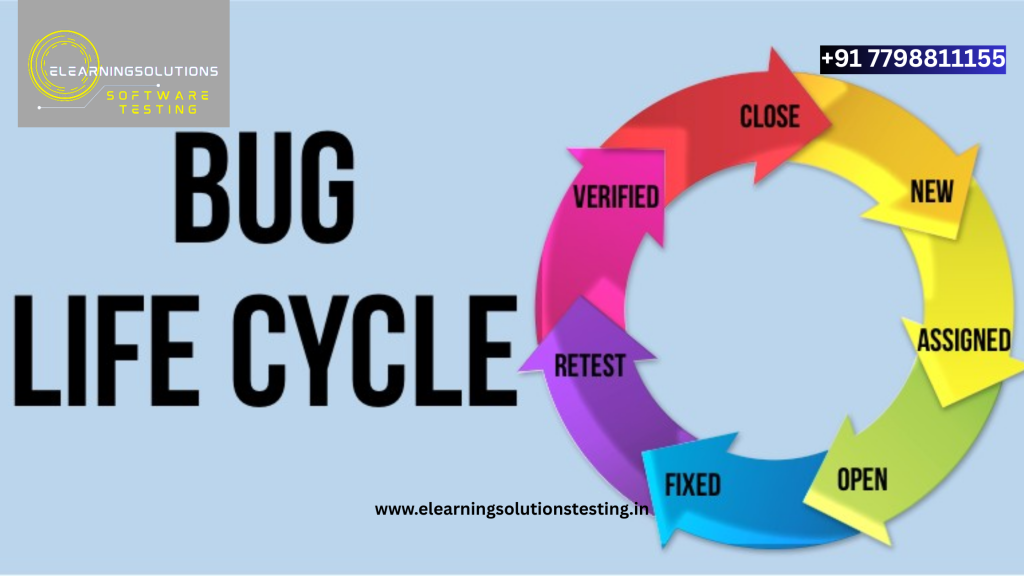
In software testing, encountering bugs is part of the journey not a failure. But how a bug is identified, tracked, and resolved determines the efficiency and quality of the development process. This journey a bug takes from discovery to closure is known as the Bug Life Cycle or Defect Life Cycle.
In this blog, we’ll break down each stage of the bug life cycle with real-world examples that make the concept easy to grasp.
What Is the Bug Life Cycle?
The Bug Life Cycle is a sequence of stages that a software defect goes through during its lifetime. It begins when a tester identifies a bug and ends when the issue is resolved and verified.
Understanding this cycle ensures better communication between testers, developers, and stakeholders and helps avoid unresolved issues creeping into production.
Stages of the Bug Life Cycle (With Examples)
1. New
A bug is reported for the first time.
Example:
A tester notices that the “Add to Cart” button on an e-commerce site doesn’t respond when clicked and logs the bug in the tracking tool.
2. Assigned
The bug is assigned to a developer or a team member for analysis.
Example:
The QA lead assigns the “Add to Cart” bug to the frontend developer responsible for UI behavior.
3. Open
The developer starts working on fixing the bug. It’s officially acknowledged as valid and will be addressed.
Example:
The developer checks the button’s event listener and notices that a script wasn’t loading properly.
4. In Progress / In Development
The bug is being actively fixed.
Example:
The developer adds the missing JavaScript and checks its functionality in a development environment.
5. Fixed
The developer resolves the bug and marks it as “Fixed.”
Example:
After the fix, the developer uploads the corrected code and changes the bug status.
6. Retest
The QA team tests the fix to verify if the issue has truly been resolved.
Example:
The tester tries the “Add to Cart” button again. This time, the item moves to the cart successfully.
7. Verified
The tester confirms the fix works and the bug no longer exists.
Example:
After multiple checks in different browsers, the tester marks the bug as “Verified.”
8. Closed
The bug is closed officially after verification.
Example:
Once the bug is confirmed resolved, the project manager closes it in the tracking system.
Alternative Bug Statuses:
- Rejected: The developer disagrees with the bug or considers it invalid.
- Duplicate: The same bug has already been reported.
- Deferred: The bug is valid but low priority and will be fixed in a later release.
- Cannot Reproduce: The bug cannot be reproduced with the provided steps.
Real-World Insight
Imagine you’re ordering food via a mobile app. You click “Place Order,” but nothing happens. You report it, the dev team investigates, fixes a JavaScript error, and releases a new update. QA then confirms the fix. This entire journey is the bug life cycle in action.
Why It Matters
- Ensures accountability at every stage
- Promotes transparency within the team
- Prevents leakage of defects into production
- Helps track and prioritize issues based on severity and impact
Final Thoughts
The bug life cycle is more than just a checklist—it’s a structured process that drives consistent, quality-focused software development. For QA professionals, developers, and project managers, understanding this life cycle helps foster better communication and ensures that no bug is left unresolved.
YOU MAY BE INTERESTED IN
The Art of Software Testing: Beyond the Basics
Automation testing course in Pune
Automation testing in selenium
Mastering Software Testing: A Comprehensive Syllabus
Frequently Asked Questions
What is the bug life cycle in software testing?
The bug life cycle, also known as the defect life cycle, refers to the stages a bug goes through from the time it is found to the time it is fixed and verified. It typically includes stages such as new, assigned, open, in progress, resolved, and closed. Understanding the bug life cycle is essential for effective bug tracking and management.
What is the first stage of the bug life cycle?
The first stage of the bug life cycle is typically the “new” stage, where a bug is reported and recorded in the bug tracking system. At this stage, the bug is not yet assigned to anyone and is waiting for further action. The new stage is usually triggered when a tester or user reports a bug or issue.
Can you give an example of a bug life cycle in a real-world scenario?
For example, consider a bug found in a login feature of an e-commerce website, where a user is unable to log in due to an incorrect password error message, even with the correct credentials. The bug would go through the life cycle stages, from new to assigned, in progress, resolved, and finally closed, with each stage representing a different step in the bug fixing process. This example illustrates how the bug life cycle applies to a real-world software testing scenario.
Who is responsible for managing the bug life cycle?
The responsibility of managing the bug life cycle typically falls on the project manager, test manager, or quality assurance lead, who oversee the entire bug tracking and fixing process. They ensure that bugs are properly reported, assigned, and resolved, and that the bug life cycle stages are accurately updated. In some cases, developers may also be involved in managing the bug life cycle, especially when it comes to resolving and closing bugs.
How does the bug life cycle impact the software development process?
The bug life cycle has a significant impact on the software development process, as it helps ensure that bugs are identified, reported, and fixed in a timely and efficient manner. By following the bug life cycle stages, development teams can prioritize bug fixing, allocate resources effectively, and ultimately deliver high-quality software products. Effective bug life cycle management also helps reduce the risk of bug-related issues and improves overall customer satisfaction.


