

As the name implies, web testing is the process of examining web applications for potential flaws or issues before putting them into production, or going live.
Depending on the requirements for web testing, several factors must be considered. Firewalls, TCP/IP communications, web application security, and traffic management capabilities are some of these components.
Web testing includes Functional testing, Usability testing, Security testing, Interface testing, Compatibility testing, Performance testing, etc., in its checklist.
Enlisted below are the most common Web Testing interview questions and answers which will guide you to get prepared for any web testing interview.
Q #1) What do you understand by web application?
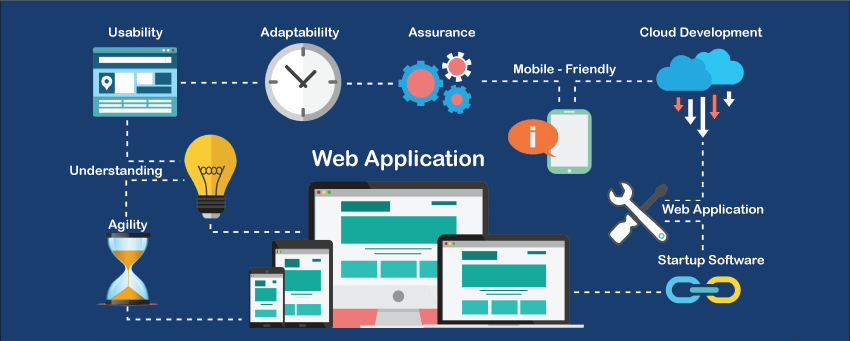
Answer: Web application is a means to communicate and exchange information with customers. Unlike any desktop applications which are executed by an operating system, a web application runs on a web server and is accessed by a web browser that acts as a client.
The best example of a web application is ‘Gmail’. In Gmail, the interaction is done by an individual user and is completely independent of the others. You can send and receive information through emails and also through attachments.
You can maintain documents in a drive, maintain spreadsheets in Google docs and includes much more such features which make a user realize that they have an environment which is customized to their specific identity.
Q #2) Define a Web server.
Answer: Web server follows the client/server model where the program uses HTTP (Hypertext Transfer Protocol). In response to the request of an HTTP client, the webserver handles client and server-side validation and delivers the web content in the form of web pages to the users.
The browsers, such as Safari, Chrome, Internet Explorer, Firefox, etc., read the files stored on the web servers and bring the information to us in the form of images and texts with the means of the internet. Any computer which hosts websites must have web servers.
Some of the leading web servers are:
- Apache
- Microsoft’s Internet Information Server (IIS)
- Java webserver
- Google web server

Q #3) Enlist some important test scenarios for testing a website.
Answer: There are many parameters that should be considered while deciding the important test scenarios for testing any website. Also, the type of website to be tested and its requirement specification plays an important role here.
Enlisted below are few important test scenarios that are applicable for testing any type of website:
- Test the GUI (Graphical User Interface) of the website for verifying the consistency of the design elements and page layout.
- All page links and hyperlinks are checked for their redirection to the desired page.
- In case of presence of any forms or fields on the website, testing scenarios consist of testing with valid data, invalid data, testing with existing records as well as testing with empty records.
- Functionality testing as per the requirement specification is done.
- The performance of a website is tested under heavy loads to determine the web server response time and database query time.
- Compatibility testing is done to test the behavior of an application on a different browser and OS (operating system) combinations.
- Usability testing and Database testing is also performed as a part of test scenarios.
Q #4) What are the different configurations that have to be considered while testing a website?
Answer: Different configuration includes different browsers as well as an operating system on which a website is being tested. Browser plugins, text size, video resolution, color depth, browser setting options are also considered when we talk about configurations.
Different combinations of browsers and operating systems are used to test the compatibility of the website. Usually, the latest and the last latest versions are included. Well, these versions are usually specified in the Requirement document.
Few important browsers include:
- Internet Explorer
- Firefox
- Chrome
- Safari
- Opera
Few important Operating systems include:
- Windows
- UNIX
- LINUX
- MAC
Q #5) Is Web Application testing different from Desktop Application testing? Explain how.
Answer: Yes, enlisted below points in table explains the differences between web application and desktop application.
| Web Application | Desktop Application | |
|---|---|---|
| Definition | Web applications are the one which can run on any client machine having the internet connection without any installation of the execution file. | Desktop applications are one which are separately installed and executed on the personal computer. |
| Performance | User actions, feedback, statistics can be easily monitored as well as data updating in one place is reflected everywhere in web application. | User actions cannot be monitored as well as changes in data can be only reflected at the machine. |
| Connectivity | Web application can be accessed on any PC having internet connection using web browser where performance of the application depends on internet speed. | Desktop application can be only accessed on specific PC where application is installed. |
| Security Risks | Web application is more prone to security threats as applications can be accessed by anyone on the internet. | Desktop application is less prone to security threats where user can keep a check on security issues at the system level. |
| User data | User data is saved and accessed remotely in case of web applications. | Data is stored, saved and accessed from the same machine on which application is installed. |
Q #6) What is the Intranet Application?
Answer: Intranet application is a kind of private application that is deployed and run on a local LAN server and can only be accessed by the people within the organization. It uses a local network to share information.
For Example, Organization usually has an application that stores information about your attendance, holidays, upcoming celebrations within the organization or some important event or information that needs to be circulated within the organization.
Q #7) Explain the difference between Authorization and Authentication in Web testing.
Answer: The difference between Authorization and Authentication is explained in the below table:
| Authentication | Authorization | |
|---|---|---|
| 1 | Authentication is the process with which the system identifies who the user is? | Authorization is the process with which system identifies what user is authorized to do? |
| 2 | Authentication determines the identity of the user. | Authorization decides the privileges given to the user i.e. whether the user can access or manipulate features of certain program. |
| 3 | There are different types of authentications, like password based, device based, etc. | There are two types of authorizations, like read only and read write both. |
| 4 | For example: Within an organization, each and every employee can login into an intranet application. | For example: Only account manager or person in accounts department can access account section. |
Q #8) What are the types of Web testing security problems?
Answer: Few web security problems include:
- Denial of Service (DOS) attack
- Buffer overflow
- Directly passing internal URL through browser address
- Viewing other stats
Q #9) Define HTTP.
Answer: HTTP stands for Hypertext Transfer Protocol. HTTP is the data transfer protocol that defines how messages are formatted and transferred over the World Wide Web. HTTP also determines the response of the actions performed by web servers and browsers.
For Example, when an URL is entered on the web browser, the HTTP command is sent to the webserver which in turn fetches the requested web browser.
Q #10) Define HTTPS.
Answer: HTTPS stands for Hypertext Transfer Protocol Secure. This is basically HTTP over SSL (Secure Socket Layer) for security purposes. There are always chances of eavesdrop on data being transferred between a user and the web server when the website uses HTTP protocol.
Therefore, websites use a secure way i.e. SSL encryption of data sent back and forth using HTTPS protocol. Almost all the websites that require user log-in use HTTPS protocol. For Example, banking websites, e-commerce websites, etc.
Q #11) What are the common problems faced in Web testing?
Answer: Some of the common problems faced in web testing are enlisted below:
- Server Problem, which includes server down and server under maintenance problems.
- Database connection problem.
- Hardware and browser compatibility problems.
- Security-related problems.
- Performance and load-related problems.
- GUI (Graphical User Interface) related problems.
Q #12) What is Cookie testing?
Answer: Cookie is said to be a personalized user’s identity or information that is required to communicate between different web pages as well as track user’s navigation through the website pages. Whenever we access any website on any web browser, their respective cookie is written on the hard disk.
Cookies are used to track user sessions, displays ads, remember user’s choice while accessing any website, remember and retrieve the user’s shopping cart, track the unique number of visitors, etc.
Suppose an e-commerce site is accessible in many countries like the US, Canada, Australia, and their testing is done in India. In that case, while testing the e-commerce site for different countries in India, at first respective countries cookies is set so that actual data like time zone, etc., are accessed of that particular country.
Q #13) Define Client-side validation.
Answer: Client-side validation is the one which is basically done at the browser level where the user’s input is validated at the browser itself with no involvement of the server.
Let’s understand it with the help of an Example.
Suppose a user is entering an incorrect email format while filling a form. The browser will instantly prompt an error message to correct it before moving on to the next field. Thus every field is corrected before submitting the form.
The client-side validation is usually done by script language such as JavaScript, VBScript, HTML 5 attributes.
The two types of Client-side validation are:
- Field-level validation
- Form level validation
Q #14) What do you understand by Server-side validation?
Answer: Server-side validation occurs where the validation and processing of user requests require the response from the server. To understand it more clearly, the user’s input is being sent to the server and validation is done using server-side scripting languages such as PHP, Asp.NET, etc.
After the validation process, feedback is sent back to the client in the form of a dynamically generated web page.
When compared to the Client-Side validation process, the Server-side validation process is more secure because here application is protected against malicious attacks and users can easily bypass client-side scripting language.
Q #15) Differentiate between Static and Dynamic website.
Answer: Difference between static and dynamic websites are as follows:
| Static Website | Dynamic website |
|---|---|
| Static websites are the one which gives out information only and there is no sort of interaction between the user and the website. | Dynamic websites are the one where user interaction is possible between the website and user along with imparting information. |
| Static websites are cheapest to develop and host. | Dynamic websites are more expensive to develop as well as their hosting cost is also more. |
| Static websites are easily loaded on client browser because of its fixed content and no database connectivity. | Dynamic websites usually take the time to load on client browser because contents to display are dynamically created and retrieved using database queries. |
| Static websites can be created from HTML, CSS and does not require any server application language. | Dynamic websites require server application language like ASP.NET, JSP, PHP to run the application on the server and display the output on the webpage. |
| Change in the content of the page of any static website; require being uploaded on server many times. | Dynamic website provides facilities to change the page content using server application. |
Q #16) What do you understand by Client-Server testing?
Answer: Client-server application is the one where the application itself gets loaded or installed on a server whereas the application EXE file is loaded on all client machines. This environment is usually used in Intranet networks.
Following tests are performed on a Client-server application:
- GUI testing on both client and server systems.
- Client-server interaction.
- The functionality of an application.
- Load and performance testing.
- Compatibility testing.
All the test cases and test scenarios used in client-server application testing is derived from the tester’s experience and requirement specifications.
Q #17) Enlist HTTP response codes that are returned by the server.
Answer: HTTP response codes are enlisted below:
- 2xx – This means ‘Success’
- 3xx- This means ‘Redirection’
- 4xx- This means ‘Application error’
- 5xx- This means ‘Server error’
Q #18) What is the role of Usability testing in Web testing?
Answer:Usability testing is a crucial component of web testing. Usability testing is a well-known technique for assessing how simple it is for an end user to use an application, regardless of whether they are familiar with programming languages..
In terms of web testing, usability testing comprises of the following:
- To check whether the website is user-friendly?
- Is the end-user able to easily navigate within the application?
- Presence of any issues or ambiguity which can hinder the user experience.
- Check how quickly the user is able to complete the task within the application.
Q #19) What are the available environments on the Web?
Answer: The different types of the environment on the Web are:
- Intranet (Local Network)
- Internet (Wide Area Network)
- Extranet(Private network over the internet)
Q #20) What are the test case formats in the case of a Static website and Dynamic website?
Answer: The following test case formats will be used in case of Static websites:
- Front-end test cases
- Navigation test cases
The following test case formats will be used in case of Dynamic websites:
- Front-end test cases
- Back-end test cases
- Navigation test cases
- Field validation test cases
- Security test cases, etc.
Q #21) Enlist some sub-classes of HTTP response objects?
Answer: Write, Flush, tell, etc are few HTTP response objects.
The sub-classes of HTTP response are:
- HttpResponseRedirect
- HttpResponsePermanentRedirect
- HttpResponseBadRequest
- HttpResponseNotfound
Q #22) Enlist some Web Testing Tools.
Answer: Few Web testing tools are enlisted below:
- eggplant functional
- Selenium
- SOA test
- JMeter
- iMacros, etc.
Q #23) Give some examples of web applications that are used in our day to day life.
Answer: Few examples include:
- Web portals like eBay, Amazon, Flipkart, etc.
- Banking applications like ICICI, Yes Bank, HDFC, Kotak Mahindra, etc.
- Email service providers like Gmail, Yahoo, Hotmail, etc.
- Social networks like Facebook, Twitter, LinkedIn, etc.
- Discussion and Information forums www.elearningsolutionstesting.in
Q #24) What is a Proxy server?
Answer: The proxy server is a server that acts as an intermediary or is the one that lies between the client and the main server.
The communication between the main server and client-server is done through a proxy server as the client request of any connection, file, resources from the main server is sent through a proxy server and again the response from the main server or local cached memory to client-server is done through the proxy server.
Some of the most common proxy servers based on their purpose and functionality are listed below:
- Transparent proxy
- Web proxy
- Anonymous proxy
- Distorting proxy
- High anonymity proxy
The proxy server is basically used for the following purposes:
- To improve the performance of web response.
- In case of the presence of a document in the cache memory, the response is directly sent to the client.
- Proxy server filters web page content in the form of web proxies.
- A proxy server is also used to block offensive web content to be accessed by the user especially in an organization, school, and college.
- Web proxies prevent the attack of computer viruses and malware.
Q #25) What is a Database server?
Answer: A Database server can be defined as a server that refers to the back-end system of a database application that provides database services such as accessing and retrieving data from the database.
The database server uses client/server architecture where the data can be accessed either through the database server by a “front end” which runs and displays data on the user’s machine or “back-end” which runs on the database server itself.
A database server is like a data warehouse and also holds on Database Management System (DBMS).
YOU MAY BE INTERESTED IN
The Art of Software Testing: Beyond the Basics
Automation testing course in Pune
Automation testing in selenium
Mastering Software Testing: A Comprehensive Syllabus
Frequently Asked Questions
What are the most common types of web testing interview questions?
The most common types of web testing interview questions include those related to functional testing, performance testing, security testing, and usability testing. These questions can range from basic concepts to complex test case scenarios. Understanding these topics is crucial to acing a web testing interview.
How do I prepare for a web testing interview with no prior experience?
To prepare for a web testing interview with no prior experience, focus on learning the fundamentals of web testing, including testing methodologies and tools such as Selenium or Appium. Practice solving sample problems and reviewing common interview questions can also help build confidence. Additionally, highlighting transferable skills from other areas of experience can be beneficial.
What is the difference between black box and white box testing in web applications?
Black box testing involves testing a web application without knowledge of its internal workings, focusing on the input and output, while white box testing involves testing with knowledge of the internal code and structure. Black box testing is typically used for functional testing, while white box testing is used for more in-depth testing, such as security and performance testing. Understanding the difference between these two approaches is key to effective web testing.
How do I answer behavioral questions in a web testing interview?
When answering behavioral questions in a web testing interview, use the STAR method to structure your response: Situation, Task, Action, and Result. This helps to provide a clear and concise example of your experience and skills, and demonstrates your ability to apply web testing concepts to real-world scenarios. Be sure to focus on the specific skills and qualifications listed in the job description.
What are some common web testing tools and technologies that I should be familiar with?
Some common web testing tools and technologies include Selenium, Appium, JUnit, and TestNG for automated testing, as well as tools like JMeter and Gatling for performance testing. Familiarity with these tools and technologies can help demonstrate your expertise and adaptability in a web testing role. Staying up-to-date with the latest versions and features of these tools is also important.


