
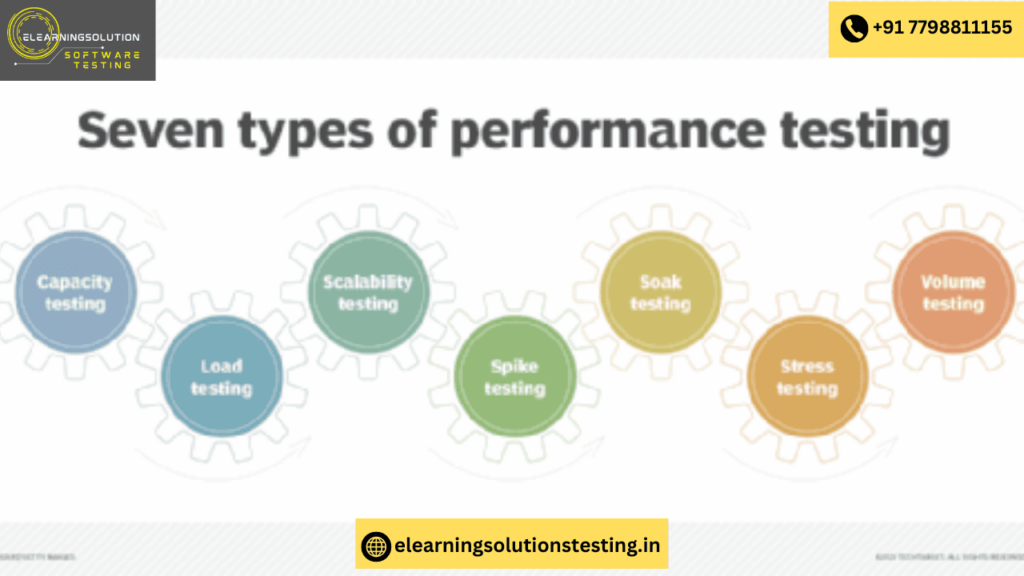
Performance testing, sometimes referred to as “Perf testing,” is a sort of testing used to examine how responsively and steadily software or applications operate under demand. Finding and eliminating performance bottlenecks in an application is the aim of the performance test.
The primary purpose of this test is to determine whether the program satisfies the anticipated standards for application stability, scalability, and speed.
We will go over all the specifics in this instructional series, including the types of performance testing, the process, and creating a performance test strategy document from scratch.
Let’s investigate!
Types Of Performance Testing

Load Testing
One kind of performance test is load testing, which evaluates how well an application performs under both typical and high usage conditions. An application’s performance is evaluated based on how well it responds to user requests and how regularly it can respond within a reasonable tolerance under various user loads.
The key considerations are:
- What is the maximum load the application is able to hold before the application starts behaving unexpectedly?
- How much data the Database able to handle before the system slows or the crash is observed?
- Are there any network related issues to be addressed?
Stress Testing
Stress Testing is used to find ways to break the system. The test also provides the range of maximum load the system can hold.
In general, stress testing uses an incremental methodology in which the load is progressively increased. A load for which the application has already been tested is used to begin the test. The system is then gradually stressed by adding increasing load. The breaking point is the moment when we begin to observe servers not answering our requests.
The following questions are to be addressed:
- What is the maximum load a system can sustain before it breaks down?
- How is the system break down?
- Is the system able to recover once it’s crashed?
- In how many ways a system can break and which are the weak node while handling the unexpected load?
Volume Testing
The purpose of volume testing is to confirm that the amount of data handled by the program has no effect on its performance. A vast amount of data must be entered into the database in order to perform a volume test. This test may be steady-state or incremental. The amount of data is progressively raised in the incremental test.
The database size typically increases with application usage, necessitating testing the application against a large database. An excellent illustration of this would be a website for a brand-new school or institution that initially keeps a little quantity of data, but after five to ten years, the database on the website contains a lot more data.
Capacity Testing
=> Can the application handle the volume of business under both typical and high load scenarios?
Future prospects are typically the focus of capacity testing.The following are addressed by capacity testing:
Will the future load be supported by the application?
Can the ecosystem withstand the impending rise in load?
What further resources are needed to make the environment sufficiently capable?
Capacity Testing is used to determine how many users and/or transactions a given web application will support and still meet performance. During this testing, resources such as processor capacity, network bandwidth, memory usage, disk capacity, etc. are considered and altered to meet the goal.
Online Banking is a perfect example of where capacity testing could play a major role.
Reliability/Recovery Testing
Reliability Testing or Recovery Testing – is to verify whether or not the application is able to return back to its normal state after a failure or abnormal behavior and how long does it take for it to do so (in other words, time estimation).
If an online trading site experiences a failure where the users are not able to buy/sell shares at a certain point of the day (peak hours) but are able to do so after an hour or two, we can say the application is reliable or recovered from the abnormal behavior.
Performance Test Process
Here are all the activities performed in this testing:

#1) Requirement Analysis/Gathering
The performance team interacts with the client for identification and gathering of requirements – technical and business. This includes getting information on the application’s architecture, technologies, and database used, intended users, functionality, application usage, test requirement, hardware & software requirements, etc.
#2) POC/Tool selection
Once the key functionality is identified, POC (Proof Of Concept – which is a sort of demonstration of the real-time activity but in a limited sense) is done with the available tools.
The list of available tools depends on the cost of the tool, protocol that application is using, the technologies used to build the application, the number of users we are simulating for the test, etc. During POC, scripts are created for the identified key functionality and executed with 10-15 virtual users.
#3) Performance Test Plan & Design
Depending on the information collected in the preceding stages, test planning and designing are conducted.
Test Planning involves information on how the performance test is going to take place – test environment, workload, hardware, etc.
More on the Test Strategy document below.
#4) Performance Test Development
- Use cases are created for the functionality identified in the test plan as the scope of PT.
- These use cases are shared with the client for their approval. This is to make sure the script will be recorded with the correct steps.
- Once approved, script development starts with a recording of the steps in use cases with the performance test tool selected during the POC (Proof of Concepts) and enhanced by performing Correlation (for handling dynamic value), Parameterization (value substitution) and custom functions as per the situation or need. More on these techniques in our video tutorials.
- The Scripts are then validated against different users.
- Parallel to script creation, the performance team also keeps working on setting up the test environment (Software and hardware).
- The performance team will also take care of Metadata (back-end) through scripts if this activity is not taken up by the client.
#5) Performance Test Modeling
Performance Load Model is created for the test execution. The main aim of this step is to validate whether the given Performance metrics (provided by clients) are achieved during the test or not. There are different approaches to create a Load model. “Little’s Law” is used in most cases.
#6) Test Execution
The scenario is designed according to the Load Model in Controller or Performance Center but the initial tests are not executed with maximum users that are in the Load model.
Test Execution is done incrementally. For Example, If the maximum number of users is 100, the scenarios are first run with 10, 25, 50 users and so on, eventually moving on to 100 users.
#7) Test Results Analysis
Test results are the most important deliverable for the performance tester. This is where we can prove the ROI (Return on Investment) and productivity that a performance testing effort can provide.
Some of the best practices that help the Result Analysis process:
- A unique and meaningful name to every test result – this helps in understanding the purpose of the test.
- Include the following information in the test result summary:
- Reason for the failure/s
- Change in the performance of the application compared to the previous test run
- Changes made in the test from the point of application build or test environment.
- It’s a good practice to make a result summary after each test run so that analysis results are not compiled every time test results are referred.
- PT generally requires many test runs to reach the correct conclusion.
- It is good to have the following points in result summary:
- Purpose of test
- Number of virtual users
- Scenario summary
- Duration of test
- Throughput
- Graphs
- Graphs comparison
- Response Time
- Error occurred
- Recommendations
#8) Report
Test results should be simplified so the conclusion is clearer and should not need any derivation. Development Team needs more information on analysis, comparison of results, and details of how the results were obtained.
The test report is considered to be good if it is brief, descriptive and to the point.
How To Write Performance Test Strategy Document?
This tutorial will explain how to write a sample Performance Test Strategy for a Messaging Application.
Remember, that this is just an example and the requirements will differ from one client to another, we will also get to know the best practices for Performance Testing in this tutorial.

Sample Performance Test Strategy Template
About ABC chat Application – Assume that this is a chat workstation used by a company’s customer service representatives. The chat application uses the Open Fire server and the XMPP protocol, or Extensible Messaging and Presence Protocol, to send and receive instant messages.
This performance test approach is an example of the various improvements made to the current chat client, such as online chat, PC diagnosis, remote PC control, repair tools, etc.
For this application let’s assume that the project team has decided to use JMeter for Performance Testing and JIRA for defect tracking.
The first page of the Performance Test Strategy document should contain Title of the Document and the Copyrights of the Company.
The second page should contain Document Control which includes, Document Version history, Reviewers & Approvers list and Contributors list.
The third page should contain the Table of contents, followed by the below topics.
#1) Introduction
The purpose of this document is to define/explain how Performance Testing will be performed on the ABC chat application for the current and future state.
ABC chat application is an in-house remote support Agent workbench. This workbench will be used to fulfill customer requests. This Workbench has capabilities such as Online chat, Customer Identification, Remote PC control, PC diagnosis, and repair tools.
Objective
The key objectives of Performance Testing are as follows:
- To gain the confidence that the changes to the existing chat application are in line with the defined Service Level Agreement.
- To ensure that the application performance, service availability, and the stability of the application are not impacted as a result of the new enhancements.
- Transaction Response Times remain within the acceptable tolerance over the increasing Load profile.
- JVMs show stable memory usage over the increasing load profiles.
The below picture clearly explains Performance Testing & Optimization process:

Architecture
You need to incorporate the architecture diagram of your project in this session.
#2) Scope
In Scope
Below is the Performance Testing scope for ABC chat workbench:
- Knowledge acquisition of the key business transactions and build load distribution after a detailed study of the system.
- Identify the critical scenarios for performance testing with assistance from different project tracks.
- Use the previous release results as a baseline for future releases.
- Verify and validate the performance test environment and the Performance/Load test tool infrastructure for any additional Agent Machines.
- Preparation of performance test scripts using JMeter for the identified scenarios that mimic the identified peak load.
- Setup performance monitoring on the servers for monitoring the test in order to identify the bottlenecks during the test execution phase.
- Publish Performance test results.
- Coordinate with various stakeholders to resolve the identified performance issues.
- Baseline the performance level for future releases.
Out of Scope
- Functional Testing, UAT, System Testing & Security Testing.
- Performance testing/monitoring of any third-party interfaces.
- Performance Tuning. (Most of the times Tuning is done by a different team, if in case you have performance engineers to tune the system then you can add this in the Inscope).
- Code profiling / Hardware sizing / Capacity planning.
- Security / Vulnerability testing / UAT/ White box testing.
- Data generation for Performance Testing.
- Non-functional tests (For Example, failover, disaster recovery, back-up, usability) other than the performance tests.
- Testing of any mobile solution.
- Third-Party Application Performance Testing & Tuning.
- Realization of performance recommendations, Application code changes and the vendor-supported products/server configuration changes will be out of scope from the Performance Team perspective.
- Infrastructure Support / Build Deployment/ Environment Readiness/ Database Restore/ Network Support etc.
#3) Approach
Parameter will be used to measure ABC Chat’s performance through the creation of unique XMPP plugins that make use of the Smack library for XMPP connections. These libraries are used to connect to the XMPP server, log in, and send chat messages.
These libraries, which are based on the scenarios to be tested, are packaged into a jar file that is distributed into the Jmeter. Installed on the local computer that connects to the JMeter server, which has load generators to create the necessary load on the Chat server system in order to track system activity, is the Jmeter Work Bench.
The JMeter tool will be used to script the test scenario. As needed, the scripts would be modified. The timetable will be constructed using the necessary
The Test Scenario would be broken up and measured in the below aspects:
a) Baseline Test: To run each scenario with 1 Vuser and multiple iterations in order to identify whether the application performance meets the business Service Level Agreement or not.
b) Base Load Test: To meet the Business Benchmark under load test, the Performance Testing team will perform a baseload test which will help to identify any system performance issues with increasing load and creates the baseline for the next level of performance testing.
c) Peak Load / Scalability Test: Performance Testing team will perform multiple tests with increasing Vusers to meet the expected load and also to measure the application performance to establish the performance curve and identify whether the deployment can support the service level agreements under the peak user load.
It helps in tuning or capacity planning of the individual Java virtual machines (JVM), the total number of required JVMs, and the processors. This will be achieved by increasing the no of Vusers to 50%, 75%, 100% and 125% of peak capacity.
d) Endurance Test: Performance Testing team will run this test for a period of 8 Hours / 16 Hours /24 hours to identify memory leaks, performance issues over time, and overall system stability. During endurance tests, the Performance Testing team monitors the key performance indicators, such as transaction response times and the stability of memory usage.
System resources like CPU, Memory, and IO need to be monitored with the help of the project team.
The Performance test environment is assumed to be a replica of the production environment. The tests will be run with an incremental load to identify where the application fails.
Performance Test Scenarios
Include the excel with the set of scenarios.
For Example,
Scenario 1: To validate the Agent and customer chat for X no. of concurrent sessions.
Performance Test Types
The table given below explains the various types of Performance Tests along with their objectives.
| Test Type | Objective |
|---|---|
| Baseline Test | Establish the best performance under specific volumes which will be used as a reference for subsequent measurements. |
| Load Test | Measure the system performance under anticipated peak production load. |
| Endurance Test | Measuring the system stability under high volume for an extended period. |
| Stress Test | Measure the system performance under unfavorable conditions. |
Performance Metrics
- Client-side Metrics
| S.No | Metric | Description | Format |
|---|---|---|---|
| 1 | Transaction Response Time | Response time of pages during the steady state of the performance test | Graph |
| 2 | Throughput | The amount of data that the VUsers received from the server over time | Graph |
| 3 | Hits/second | The number of HTTP requests made by VUsers to the Web server during the scenario run | Graph |
| 4 | Number of Passed/Failed Transactions | Total number of transactions that Passed and Failed during the test execution | Excel |
| 5 | Transaction Error Rate | The Percentage of transactions that failed during the test execution | Graph |
- System & Network Performance Metrics

Performance Testing Activities & Deliverables

#4) Test Data
It is being assumed that the Performance environment data will be a copy of the production data and the required test data will be provided by the project team.
#5) Entry & Exit Criteria
- Access to all the applications in the environment.
- Environment readiness complete.
- Performance Test Data readiness.

#6) Defect Management
- The project will use JIRA’s Defect Management module to log defects and track them through to closure.
- Defects discovered during the test execution phase will be noted in JIRA and fixed by the development team in accordance with the severity levels listed below.
- The business, development, testing, and quality analyst teams would all participate in the daily defect review sessions.
- As the project gets closer to the Go Live date, the requirements for fixing problems will get more strict. Defect review sessions will provide guidelines for defect fix criteria..
Defect Severity Definition
The definitions of severity codes are as follows:
| Severity | Description for Development and Enhancement Problems |
|---|---|
| Blocker | System error, show stopper, Network issues |
| Critical | System errors, no clear workaround, interruption or missing business functionality |
| Major | A serious problem was detected for which the workaround exists that might not be clear to all the users, however, product should not be released without fixing |
| Medium | Problem exists with easy/simple work around but this type of defect may be released upon approval by Business and/or Project Manager |
| Low | Cosmetic issues that do not interfere with business functionality or other intermittent problems that are not reproducible every time |
#7) Testing Tools & Techniques
| Tools | Purpose |
|---|---|
| Jmeter | To verify the Load and Performance of the ABC Chat application. |
#8) Suspension and Resumption Criteria
Given below are the Critical Suspension and Resumption criteria which will impact the testing activities:
| Suspension | Impact | Resumption |
|---|---|---|
| Environment not set up | Testing cannot proceed | Environment readiness. |
| Application found to be unstable | Testing cannot proceed. | Issue resolved |
| Test Data not available | Testing cannot proceed. | Test Data ready |
#9) Test Deliverables
The Performance Test Deliverables include:
- Performance Testing Strategy
- Performance Requirements Document
- Performance Test Scenario Document
- Performance Test Scripts
- Performance Test Results
#10) Roles & Responsibilities
Roles & Responsibilities are clearly explained in the table given below.

#11) Potential Risks & Mitigation Plan
| S.No | Risk | Probability | Impact | Mitigation Plan | Owner |
|---|---|---|---|---|---|
| 1 | Test Data unavailability for performance load test executions | H | H | Estimated dates for the performance test executions should be reviewed and updated. Functional/Dev team support required for data gathering. | — |
| 2 | Environmental Issues | L | M | Re prioritize Deliverables | — |
| 3 | Change in Functionality/design during performance test execution | M | H | This requires rework on the performance test scenarios | — |
| 4 | Extra performance runs to troubleshoot performance issues | M | H | Performance testing schedules would be modified and updated to the product team. | — |
| 5 | Estimations are prepared based on 1 bug fix build for performance. Multiple bug fix builds will delay test cycles and eventually it depends on when the next build will be available for rerun. | H | H | Re prioritize the performance test execution cycles. | — |
| 6 | Hardware Availability | M | H | Schedule start date would be moved accordingly. | — |
#12) Assumptions
- Performance Test Environment will be a replica of the product architecture landscape. (i.e. correct Hardware, Software, Interfaces, Integration Layers, etc).
- Performance scripts will be designed based on the critical flows for which the usage is high.
- All Infrastructure Issues should be resolved before the beginning of Performance testing. Any system configuration changes made later will invalidate the test results.
- An application is stable and ready to use in the Performance test environment.
- Necessary hardware and software resources (like load generator machines/software, controller/agent machines) are made available.
- Any changes to the scope will go through a change control process and the performance testing team will assess the impact of timelines and resources.
- Respective Servers are expected to handle the load.
- Application trace logs have to be enabled for the supporting systems for monitoring purposes.
#13) Dependencies
- Availability of the Performance test environment which is a replica of the product architecture landscape.
- Support required from various Functional, Development, Database and Infrastructure teams during the test preparation and execution stages.
- No code changes are implemented during the entire Performance testing phase as time is very limited.
- In the event of unforeseen issues that lead to restrictions within the timelines, if timelines do not allow for all the test scopes to be met within the original milestone dates support is available from the Release Managers, to provide a scoping and prioritization decision.
- Application Business Users / Subject Matter Experts will be made available for functional clarifications, and business transactions sign-off.
- ABC chat Program Manager will review and sign-off.
#14) Abbreviations
| Abbreviation | Description |
|---|---|
| DB | Database |
| Http | Hyper Text Transfer Protocol |
| JDBC | Java Database Connectivity |
| QA | Quality Assurance |
| SLA | Service Level Agreement |
| SME | Subject Matter Expert |
| UAT | User Acceptance Testing |
By now you must have clearly understood how to write an effective Performance Test Strategy for a Messaging application.
Best Practices For Realistic Performance Testing
To effectively finish a Performance Test project, we must make sure that we are following the correct procedures from the very beginning, including planning, development, execution, and analysis.
To efficiently do Performance Testing, let’s examine each step in depth.
#1) Planning
- Try to identify the most common workflows i.e the business scenarios which have to be tested. If the application is an existing one, then check the server logs to understand the most frequently accessed scenarios. If the application is new than talk to the project management team to understand the major business flow.
- Plan the Load test in such a way that you cover a broad range of workflows like light usage, medium usage and peak loads.
- You need to perform many cycles of the Load Test, so try to create a framework so that you can use the same scripts again and again. Also, try to have a backup of the scripts.
- Try to analyze how long a test has to run, is it one hour? 8 hours? A day or a week? Usually, long-duration tests will uncover many major defects such as OS bugs, Memory leaks, etc.
- If your organization is using any APM (Application Monitoring Tool), then you can include it during the test runs so that you can easily identify the performance issues and identify the root cause more easily.
#2) Development
- While developing the scripts i.e recording, try to give a more meaningful transaction name based on the business flow names that are mentioned in the plan.
- Don’t record any third-party applications and if it gets recorded, try to filter it out while enhancing the scripts.
- Not all the dynamic values can be correlated using Autocorrelation feature in the tool, so try to do a manual correlation to avoid errors.
- Try to design your performance tests in such a way that you are hitting the backend of the application and not just the cache server.
#3) Execution
- Make sure to run the tests in a production-like environment, including factors like SSL, Load Balancer, and Firewalls. This is necessary to simulate a realistic load on the system.
- Try to create a workload which is very realistic, you can get this by checking the server logs if it is an existing application and if it is a new application you need to get this info from the business team. Remember that workload is very important for conducting successful performance tests.
- Never come to a conclusion by running tests with half the production size environment, it is always advised to conduct tests in an environment which is just the same as production.
- While executing long-run tests try to watch the run at frequent intervals in order to make sure that the test is running smoothly.
#4) Analysis
- Try to analyze the application by adding a few important counters first, when a bottleneck is found then try to add additional counters with respect to the bottleneck. This, in turn, will help in finding the issue more easily.
- An application can fail for many reasons like it can fail to respond to a request, respond with an error code, fail your validation logic or responding too slowly. So try to look into all these before coming to a conclusion.
Conclusion
You would have learned a great deal about performance tests and how to create a Performance Test Strategy Document with thorough examples from this lesson, I’m sure.
YOU MAY BE INTERESTED IN
The Art of Software Testing: Beyond the Basics
Automation testing course in Pune
Automation testing in selenium
Mastering Software Testing: A Comprehensive Syllabus
Frequently Asked Questions
What is performance testing in software development?
Performance testing is a type of software testing that evaluates the speed, scalability, and reliability of an application under various loads. It helps to identify the breaking point of an application and ensures that it can handle the expected traffic and user activity. By conducting performance testing, developers can optimize their application’s performance and provide a better user experience.
Why is performance testing important for my application?
Performance testing is crucial for ensuring that an application can handle a large number of users and transactions without compromising its performance. It helps to prevent crashes, slow load times, and other issues that can negatively impact the user experience and ultimately, the business. By investing in performance testing, developers can minimize downtime and maximize revenue.
What are the key performance indicators in performance testing?
The key performance indicators in performance testing include response time, throughput, memory usage, and CPU utilization. These metrics help to evaluate the performance of an application under various loads and identify potential bottlenecks. By monitoring these indicators, developers can optimize their application’s performance and ensure that it meets the required standards.
How do I conduct performance testing for my web application?
To conduct performance testing for a web application, you need to simulate a large number of users and transactions using specialized tools such as Apache JMeter or LoadRunner. You can also use cloud-based services that provide performance testing capabilities. The goal is to simulate real-world scenarios and evaluate the application’s performance under various loads and conditions.
What are the benefits of automated performance testing?
Automated performance testing provides several benefits, including reduced testing time, increased accuracy, and improved test coverage. It allows developers to run tests repeatedly and consistently, reducing the risk of human error and ensuring that the application’s performance is consistently evaluated. Additionally, automated performance testing enables developers to identify and fix performance issues early in the development cycle.


