
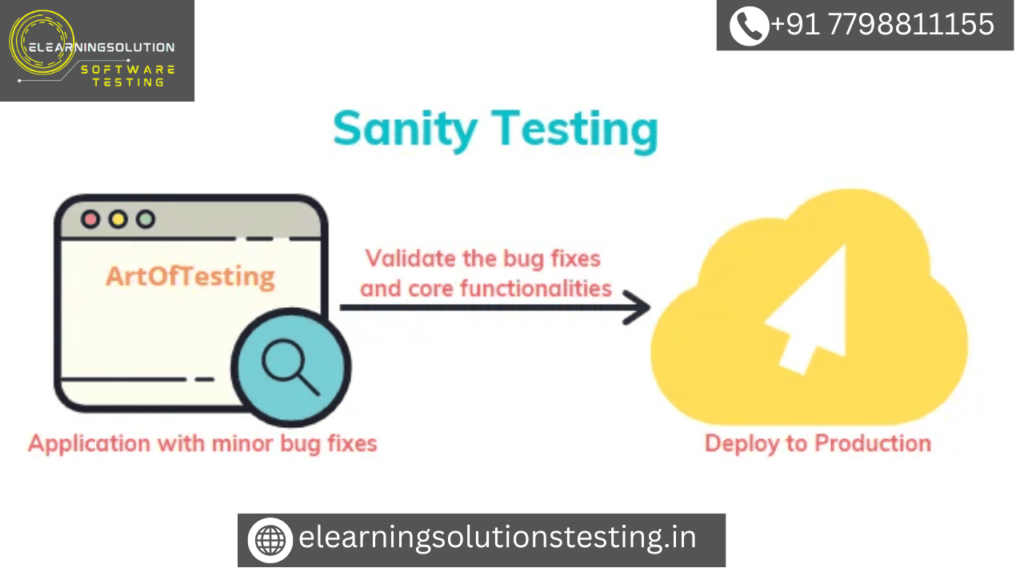
Sanity Testing is done when as a QA we do not have sufficient time to run all the test cases, be it Functional Testing, UI, OS or Browser Testing.
Hence, we can define,
Sanity testing is a type of test execution that touches on each implementation and its effects without going into great detail. Depending on the implementation and its effects, it may involve functional, user interface, version, and other types of testing.
Everybody has to sign off in a day or two, but the build for testing hasn’t been published yet. Doesn’t that happen to everyone?
Ah yes, I bet you must have also faced this situation at least once in your Software Testing experience. Well, I faced it a lot because my project(s) were mostly agile and at times we were asked to deliver it the same day. Oops, how can I test and release the build within a stretch of hours?
I used to go nuts at times because even if it was a small functionality, the implication could be tremendous. As an icing on the cake, clients sometimes simply refuse to give extra time. How can I complete the whole testing in a few hours, verify all the functionality, Bugs and release it?
The answer to all such problems was very simple, i.e nothing but using Sanity Testing strategy.
When we do this testing for a module or functionality or a complete system, the Test cases for execution are selected such that they will touch all the important bits and pieces of the same i.e. wide but shallow testing.
At times the testing is even done randomly with no test cases. But remember, the sanity test should only be done when you are running short of time, so never use this for your regular releases. Theoretically, this testing is a subset of Regression Testing.
My Experience

Out of my 8+ years of career in Software Testing, I was working in Agile methodology for 3 years and that was the time when I mostly used a sanity test.
Small releases were occasionally requested to be supplied as soon as possible, but all major releases were organized and carried out in a methodical way. We didn’t have enough time to complete the entire process, including documenting the test cases, running them, documenting bugs, and doing regression.
Hence, given below are some of the key pointers that I used to follow under such situations:
#1) Sit with the manager and the dev team when they are discussing the implementation because they have to work fast and hence we can’t expect them to explain to us separately.
This is a crucial step because sometimes we just don’t grasp the repercussions and whether any current functioning would be impaired (at worst). It will also help you get an idea of what they are planning to implement, which region will it be affecting, etc.
#2) As you are short of time, by the time the development team is working on the implementation, you can note down the test cases roughly in tools like Evernote, etc. But make sure to write them somewhere so that you can add them later to the test case tool.
#3) Keep your testbed ready as per the implementation and if you feel that there are any red flags like some specific data creation if a testbed will take time (and it’s an important test for the release), then raise those flags immediately and inform your manager or PO about the roadblock.
Just because the client wants it asap, it doesn’t mean that QA will release even if it is half tested.
#4) Make an agreement with your team and manager that due to time crunch you will only communicate the bugs to the development team and the formal process of adding, marking the bugs for different stages in the bug tracking tool will be done later in order to save time.
#5) When the development team is testing on their end, try to pair with them (called dev-QA pairing) and do a basic round on their setup itself, this will help to avoid the to and fro of the build if the basic implementation is failing.
#6) Now that you have the build, test the business rules and all the use cases first. You can keep tests like a validation of a field, navigation, etc for later.
#7) Whatever bugs you find, make a note of all of them and try to report them together to the developers rather than reporting individually because it will be easy for them to work on a bunch.
#8) If you have a requirement for the overall Performance Testing, or Stress or Load Testing, then make sure that you have a proper automation framework for the same. Because it is nearly impossible to manually test these with a sanity test.
#9) “When you draft the release email or the document, mention all the test cases that you executed, the bugs found with a status marker, and if anything was left untested, mention it with the reasons.” This is the most crucial stage in your sanity test approach, and it is also the last one.Write as clearly as possible about your testing so that everyone knows what has been tried, confirmed, and what hasn’t.
I followed this religiously when I was using this testing.
Let me share my own experience:
#1) We were working on a website and it used to popup ads based on the keywords. The advertisers used to place the bid for particular keywords which had a screen designed for the same. The default bid value used to be shown as $0.25, which the bidder could even change.
There was one more place where this default bid used to show up and it could be changed to another value as well. The client came with a request to change the default value from $0.25 to $0.5 but he mentioned only the obvious screen.
During our brainstorming discussion, we forgot (?) about this other screen because it wasn’t used much for that purpose. But while testing when I ran the basic case of the bid being $0.5 and checked end to end, I found that the cronjob for the same was failing because at one place it was finding $0.25.
I reported this to my team and we made the change and successfully delivered it the same day itself.
#2) Under the same project (mentioned above), we were asked to add a small text field for notes/comments for bidding. It was a very simple implementation and we were committed to deliver it the same day.
As a result, as previously said, I evaluated all of the business rules and use cases related to it. During validation testing, I discovered that the page crashed when I inserted a combination of special characters, such as .
After giving it some thought, we concluded that the real bidders would never employ such combinations. As a result, we released it along with a thoughtful comment regarding the problem. The customer acknowledged that it was a bug, but since it was serious and not a previous one, they decided to implement it later.
#3) Recently, I was working on a mobile app project, and we had a requirement to update the time of delivery shown in the app as per the time zone. It was not only to be tested in the app but also for the web service.
While the development team was working on the implementation, I created the automation scripts for the web service testing and the DB scripts for changing the time zone of the delivery item. This saved my efforts and we could achieve better results within a short duration.
Sanity Testing Vs Regression Testing
Given below are a few differences between the two:
S. No. | Regression Testing | Sanity Testing |
|---|---|---|
| 1 | Regression testing is done to verify that the complete system and bug fixes are working fine. | Sanity testing is done at random to verify that each functionality is working as expected. |
| 2 | Every tiniest part is regressed in this testing. | This is not a planned testing and is done only when there’s a time crunch. |
| 3 | It is a well elaborate and planned testing. | This is not a planned testing and is done only when there’s a time crunch. |
| 4 | An appropriately designed suite of test cases is created for this testing. | It may not every time be possible to create the test cases; a rough set of test cases is created usually. |
| 5 | This includes in-depth verification of functionality, UI, performance, browser/OS testing etc. i.e. every aspect of the system is regressed. | This mainly includes verification of business rules, functionality. |
| 6 | This is a wide and deep testing. | This is a wide and shallow testing. |
| 7 | This testing is at times scheduled for weeks or even month(s). | This mostly spans over 2-3 days max. |
Strategy for Mobile App Testing
I know you’re asking why I’m talking about mobile apps in particular.
In particular, the screen sizes are standard, and the operating system and browser versions for desktop or web applications do not differ much.However, factors like screen size, mobile network, OS versions, and others impact the stability, appearance, and overall performance of your mobile application.
Therefore, developing a strategy is essential while testing a mobile app because one mistake could get you into serious difficulty. Testing needs to be done carefully and intelligently.
Given below are some pointers to help you perform this testing successfully on a mobile app:
#1) First of all, analyze the impact of the OS version on the implementation with your team.
Try to find answers to questions like, will the behavior be different across versions? Will the implementation work on the lowest supported version or not? Will there be performance issues for the implementation of versions? Are there any specific features of the OS that might impact the behavior of the implementation? etc.
#2) On the above note, analyze for the phone models also i.e., are there any features on the phone that will impact the implementation? Is the implementation of behavior-changing with GPS? Is the implementation behavior changing with the phone’s camera? etc. If you find that there’s no impact, avoid testing on different phone models.
#3) Unless there are any UI changes for the implementation I would recommend keeping UI testing on the least priority, you can inform the team (if you want) that the UI will not be tested.
#4) In order to save your time, avoid testing on good networks because it is obvious that the implementation is going to work as expected on a strong network. I would recommend starting with testing on a 4G or 3G network.
#5) This testing is to be done in less time but make sure that you do at least one field test unless it’s a mere UI change.
#6) If you must test for a matrix of different OS and their version, I would suggest that you do it in a smart way. For instance, choose the lowest, medium and the latest OS-version pairs for testing. You can mention in the release document that not every combination is tested.
#7) On a similar line, for UI implementation sanity test, use small, medium and large screen sizes to save time. You can also use a simulator and emulator.
Precautionary Measures
Sanity Testing is performed when you are running short of time and hence it is not possible for you to run each and every test case and most importantly you are not given enough time to plan out your testing. In order to avoid the blame games, it is better to take precautionary measures.
In such cases, lack of written communication, test documentation and miss outs are quite common.
To ensure that you don’t fall prey to this, make sure that:
- Never accept a build for testing until you are given a written requirement shared by the client. It happens that clients communicate changes or new implementations verbally or in chat or a simple 1 liner in an email and expect us to treat that as a requirement. Compel your client to provide some basic functionality points and acceptance criteria.
- Always make rough notes of your test cases and bugs if you do not have sufficient time to write them neatly. Don’t leave these undocumented. If you have some time, share it with your lead or team so that if anything is missing they can point it out easily.
- If you and your team are short of time, make sure that the bugs are marked in the appropriate state in an email? You can email the complete list of bugs to the team and make the devs mark them appropriately. Always keep the ball in the other’s court.
- If you have the Automation Framework ready, use it and avoid doing Manual Testing, that way in less time you can cover more.
- Avoid the scenario of “release in 1 hour” unless you are 100% sure that you will be able to deliver.
- Last but not the least, as mentioned above, draft a detailed release email communicating what is tested, what is left out, reasons, risks, which bugs are resolved, what are ‘Latered’ etc.
As a QA, you should judge what is the most important part of the implementation that needs to be tested and what are the parts that can be left out or basic-tested.
Even in a short time, plan a strategy about how you want to do and you will be able to achieve the best in the given time frame.
YOU MAY BE INTERESTED IN
The Art of Software Testing: Beyond the Basics
Automation testing course in Pune
Automation testing in selenium
Mastering Software Testing: A Comprehensive Syllabus
Frequently Asked Questions
What is sanity testing in software development?
Sanity testing is a type of testing that determines whether a software application is working as expected after a change or update. It involves checking the most basic and critical functionality of the application to ensure it is stable and functional. This type of testing is usually performed when there is a limited amount of time available for testing.
Why is sanity testing important in the software development life cycle?
Sanity testing is important because it helps to identify any major issues with the application early on, which can save time and resources in the long run. It also gives the development team confidence that the application is stable and functional before proceeding with more thorough testing. By catching critical defects early, sanity testing can help prevent downstream problems and reduce the overall risk of the project.
How does sanity testing differ from smoke testing?
Sanity testing and smoke testing are often used interchangeably, but there is a subtle difference between the two. Smoke testing is a high-level test that checks the application’s basic functionality, while sanity testing is a more in-depth test that checks the application’s functionality after a change or update. Sanity testing is typically more detailed and thorough than smoke testing.
What types of applications benefit from sanity testing?
Any application that undergoes frequent changes or updates can benefit from sanity testing. This includes web applications, mobile applications, and desktop applications. Sanity testing is particularly useful for applications that have a complex architecture or multiple dependencies, as it helps to ensure that the application is stable and functional after changes are made.
How often should sanity testing be performed?
Sanity testing should be performed after any significant change or update to the application, such as a new feature or a fix to a critical defect. It should also be performed after any major environmental changes, such as a change to the operating system or database. The frequency of sanity testing will depend on the specific needs of the project and the rate of change to the application.


